What is Character Encoding and Why Does it Matter?
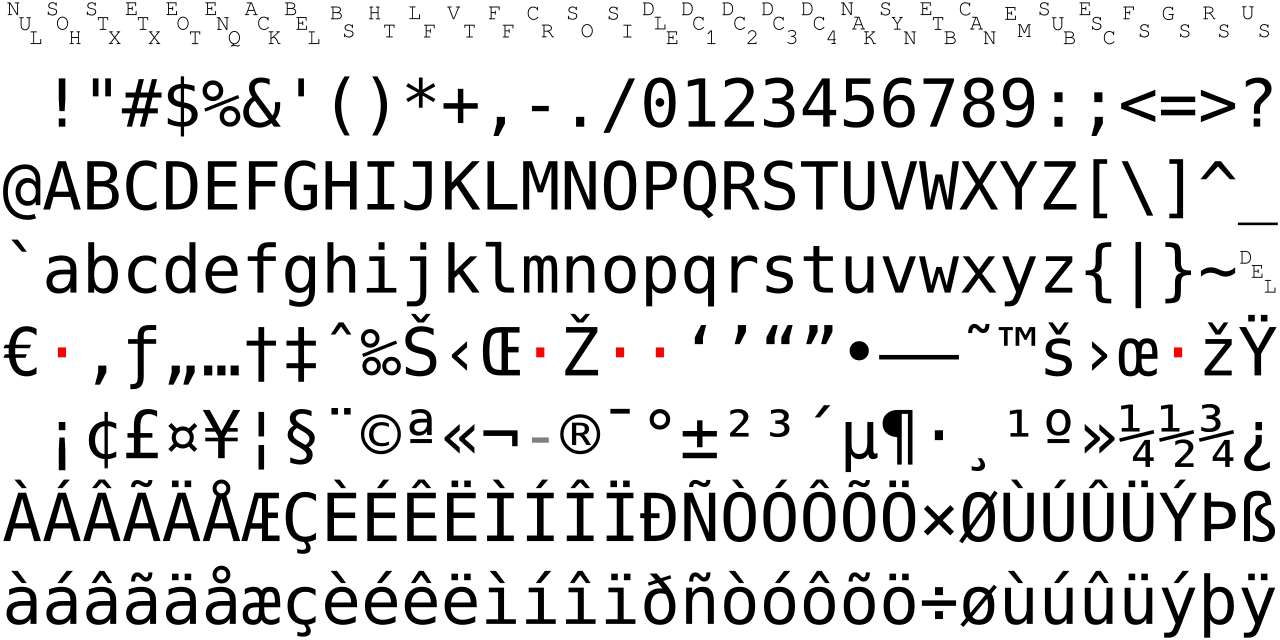
At its core, character encoding is the fundamental process of translating human-readable text into a format that computers can store, process, and transmit. Imagine a vast library where every single character – from the Latin 'A' to the Japanese 'あ', from an emoji like '😊' to a mathematical symbol like '∑' – has a unique numerical identifier, often referred to as a character code or ã‚ャラクター コード. An encoding system is the rulebook that dictates how these numerical codes are then represented as binary data (bytes) that a computer understands. Without a consistent encoding, what you see on your screen might not be what someone else sees, or what was originally intended. This often leads to frustrating "mojibake" – garbled, unreadable text where special characters transform into sequences of seemingly random symbols, like "ü" instead of "ü" or "è" instead of "è". This common issue arises when text encoded in one format (e.g., UTF-8) is mistakenly interpreted by a system expecting another (e.g., ISO-8859-1 or Windows-1252). Understanding character encodings is paramount for developers, content creators, and anyone dealing with data across different systems, ensuring global communication remains clear and accurate.Demystifying Unicode and Character Codes (ã‚ャラクター コード)
Before the advent of Unicode, the digital world was a Tower of Babel. Hundreds of different character encodings existed, each supporting a limited set of characters, often specific to a particular language or region. This made it virtually impossible to create a single document that could display text correctly across multiple languages without a high risk of corruption. Enter Unicode. Unicode is not an encoding itself, but rather a universal character set. It's a comprehensive mapping that assigns a unique number, called a code point, to virtually every character and symbol known to humanity, including historical scripts, modern languages, and even emojis. For instance, the letter 'A' has code point U+0041, 'あ' is U+3042, and '😊' is U+1F60A. This standardized system provides a common reference point, eliminating ambiguity about which character a particular number represents. However, these code points are just abstract numbers. Computers don't store numbers as U+XXXX directly; they store bytes. This is where Unicode Transformation Formats (UTFs) come into play. UTFs are the actual encodings that define how these Unicode code points are converted into sequences of bytes for storage and transmission. They are the practical implementations of the ã‚ャラクテー コード concept for the Unicode standard, ensuring that the vast range of characters can be efficiently represented.Comparing the Big Three: UTF-8, UTF-16, and UTF-32
While all UTFs can represent the entire Unicode character set, they do so with different strategies, leading to trade-offs in terms of storage efficiency, memory usage, and compatibility.UTF-8: The Web's Lingua Franca
UTF-8 is the dominant encoding on the internet, used by over 98% of websites. It's a variable-width encoding, meaning that different characters are represented by a different number of bytes:- ASCII characters (U+0000 to U+007F), which are primarily English letters, numbers, and common symbols, are represented by a single byte. This makes UTF-8 highly compatible with older ASCII-based systems and very efficient for English text.
- Most common non-ASCII characters, like those found in European languages, are represented by two bytes.
- Asian characters and other less common symbols typically use three bytes.
- Emoji and other characters in the supplemental planes use four bytes.
Advantages:
- Backward Compatibility: Pure ASCII text is valid UTF-8, making migration from older systems easier.
- Space Efficiency: For languages heavily based on Latin scripts (like English), it's very space-efficient.
- Flexibility: Handles the entire Unicode range.
- No Byte Order Mark (BOM) needed: UTF-8's design is byte-order independent, though some applications might still add an optional BOM.
Disadvantages:
- Variable Width Complexity: Processing requires more logic to determine character boundaries, as a character isn't always a single byte.
- Less Efficient for East Asian Text: For languages like Chinese, Japanese, or Korean, where characters often require 3 bytes, UTF-8 can be less space-efficient than UTF-16.
UTF-16: Windows and Java's Choice
UTF-16 is another variable-width encoding, but it works with 16-bit units (two bytes) instead of 8-bit units.- Characters in the Basic Multilingual Plane (BMP), which covers most common languages and symbols (U+0000 to U+FFFF), are represented by a single 16-bit code unit (two bytes).
- Characters outside the BMP (supplementary planes, including many emojis and historical scripts) are represented by surrogate pairs, which consist of two 16-bit code units (four bytes total).
Advantages:
- Memory Efficiency: For texts primarily using BMP characters (common in many non-English languages), UTF-16 can be more memory-efficient than UTF-8, as most characters fit into two bytes.
- Simpler Processing (for BMP): If you're only dealing with BMP characters, a character always corresponds to a single 16-bit unit.
Disadvantages:
- Not ASCII Compatible: ASCII characters take two bytes in UTF-16, making it less efficient for plain English text and incompatible with older ASCII systems.
- Byte Order Mark (BOM) Required: UTF-16 can be either big-endian (UTF-16BE) or little-endian (UTF-16LE), so a BOM is often necessary to indicate the byte order.
- Variable Width for Full Unicode: Still requires surrogate pairs for characters outside the BMP, adding complexity.
UTF-16 is commonly used internally by operating systems like Microsoft Windows and programming languages like Java for their string representations.
UTF-32: Simplicity at a Cost
UTF-32 is a fixed-width encoding. Every Unicode code point is represented by exactly four bytes (32 bits).Advantages:
- Simplicity: Character access is straightforward; the Nth character is always at a predictable byte offset (N * 4 bytes). This simplifies string manipulation operations.
- No Variable-Width Complexity: Avoids the complexities of variable-width encodings, as there are no surrogate pairs or multi-byte sequences to parse per character.
Disadvantages:
- Highly Inefficient: UTF-32 uses four bytes for every character, even for simple ASCII characters that could be represented by one byte in UTF-8. This leads to significantly larger file sizes and higher memory consumption for most texts.
- Byte Order Mark (BOM) Required: Like UTF-16, it requires a BOM to distinguish between big-endian (UTF-32BE) and little-endian (UTF-32LE).
Due to its inefficiency, UTF-32 is rarely used for storage or transmission. Its primary use case is often internal string representation in applications where constant character width is critical for performance or simplicity, despite the memory overhead.
Practical Scenarios: When Character Encodings Go Wrong
Understanding these distinctions is crucial, especially when you encounter garbled text. Here are common situations where encoding issues surface:- Web Pages and HTTP Headers: A common culprit for "mojibake" is when a web server serves a page encoded as UTF-8 but mistakenly declares the `charset` as ISO-8859-1 in the HTTP `Content-Type` header. The browser, trusting the header, misinterprets the UTF-8 bytes, leading to display errors.
- Database Storage: If a database column is configured with one encoding (e.g., Latin1) but receives data in another (e.g., UTF-8), characters can be silently corrupted or incorrectly stored.
- Copy-Pasting and Text Editors: Text copied from one application (e.g., a browser, a CMS, a spreadsheet) and pasted into another (e.g., a plain text editor, an IDE) might show wrong symbols if the source and destination treat encodings differently.
- API Payloads (JSON, XML): When exchanging data via APIs, especially with `JSON` or `XML`, escaped values might appear instead of the actual characters if the encoding is mishandled or if the receiving system expects a different interpretation of the ã‚ャラクテー コード. For debugging such issues, specialized Unicode Text Converters can be invaluable for debugging garbled characters and encoding issues.
- Log Files and Data Pipelines: Systems logging information or processing data through various stages might introduce encoding problems if each component in the pipeline isn't consistent. Verifying the actual stored characters versus what was displayed is a critical step.
To effectively debug and prevent these issues, it's essential to:
- Declare Encodings Explicitly: Always specify the encoding (e.g., in HTML ``, HTTP headers, or database connection strings).
- Consistent Configuration: Ensure all components of your system (database, application, web server, client) are configured to use the same encoding, ideally UTF-8.
- Use Verification Tools: When troubleshooting, tools that allow you to inspect how text is represented in UTF-8, UTF-16, and UTF-32 can quickly pinpoint discrepancies. You can use these tools to perform a "round-trip sanity check": convert text to an encoded output, then convert it back to text to confirm the original characters remain intact. This helps solve UTF-8 and Unicode problems and verify characters across encodings.
- Beware of BOMs: While useful for UTF-16/32, a Byte Order Mark (BOM) in UTF-8 can sometimes cause issues with parsers not expecting it, so it's often omitted in UTF-8.